|
Kerberos Authentication
2014/12/31 |
|
Enable Kerberos Authentication to limit access on specific web pages. Users can authenticate via Windows Active Directory.
It's necessarry to be running Windows Active Directory in your LAN.
This example based on the environment below. Domain server : Windows Server 2012 R2 Domain Name : FD3S01 Realm : FD3S.SRV.WORLD Hostname : fd3s.srv.world
|
|
| [1] | For example, set Kerberos Authentication under the directory [/var/www/html/auth-kerberos] and also set to be required SSL connection. |
|
[root@www ~]#
yum -y install mod_auth_kerb
[root@www ~]#
vi /etc/krb5.conf # line 12: uncomment and change to the AD DS's domain name default_realm = FD3S.SRV.WORLD
# add follows under the [realms] section [realms]
 FD3S.SRV.WORLD = {
  kdc = fd3s.srv.world
  admin_server = fd3s.srv.world
 }
# add follows under the [domain_realm] section [domain_realm] .fd3s.srv.world = FD3S.SRV.WORLD fd3s.srv.world = FD3S.SRV.WORLD # create keytab HTTP/[AD's hostname or IP address]@[AD's domain name] [root@www ~]# echo "HTTP/fd3s.srv.world@FD3S.SRV.WORLD" > /etc/httpd/conf.d/krb5.keytab
[root@www ~]#
vi /etc/httpd/conf.d/auth_kerberos.conf # create new
<Directory /var/www/html/auth-kerberos>
    SSLRequireSSL
    AuthType Kerberos
    AuthName "Kerberos Authntication"
    KrbAuthRealms FD3S.SRV.WORLD
    Krb5Keytab /etc/httpd/conf.d/krb5.keytab
    KrbMethodNegotiate Off
    KrbSaveCredentials Off
    KrbVerifyKDC Off
    Require valid-user
</Directory>
[root@www ~]#
systemctl restart httpd
# create a test page
[root@www ~]#
mkdir /var/www/html/auth-kerberos [root@www ~]# vi /var/www/html/auth-kerberos/index.html <html> <body> <div style="width: 100%; font-size: 40px; font-weight: bold; text-align: center;"> Test Page for Kerberos Auth </div> </body> </html> |
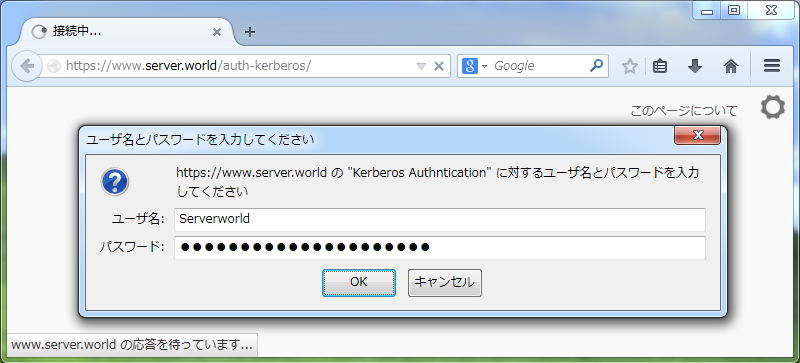
| [2] | Access to the test page from a client computer with a web browser. Then authentication is required like follows as a setting, answer with a user which is added in Active Directory. |
|
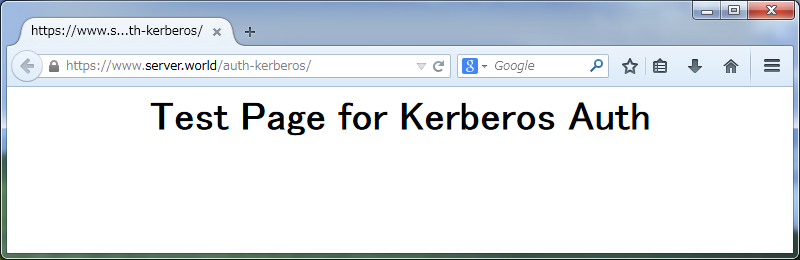
| [3] | Just accessed. |
|